
Type a scripture. JWrite does the rest.
Download a Bible translation, then tap the reference to read the verse, offline too.
Type a scripture, JWrite finds it. Meetings, assemblies and conventions, in 13 languages.
See It in Action
Download a Bible translation, then tap the reference to read the verse, offline too.
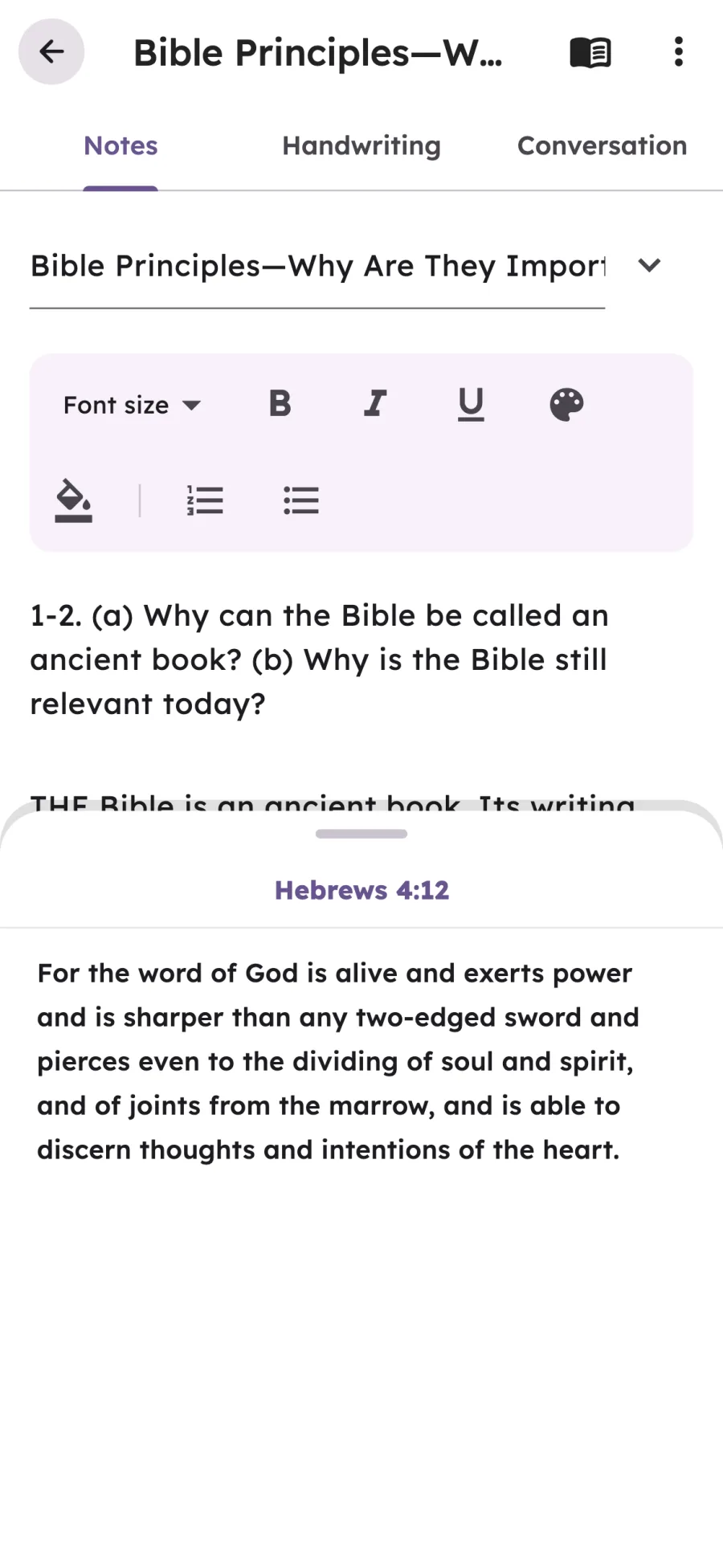
On the platform
Write the talk, read it on stage.

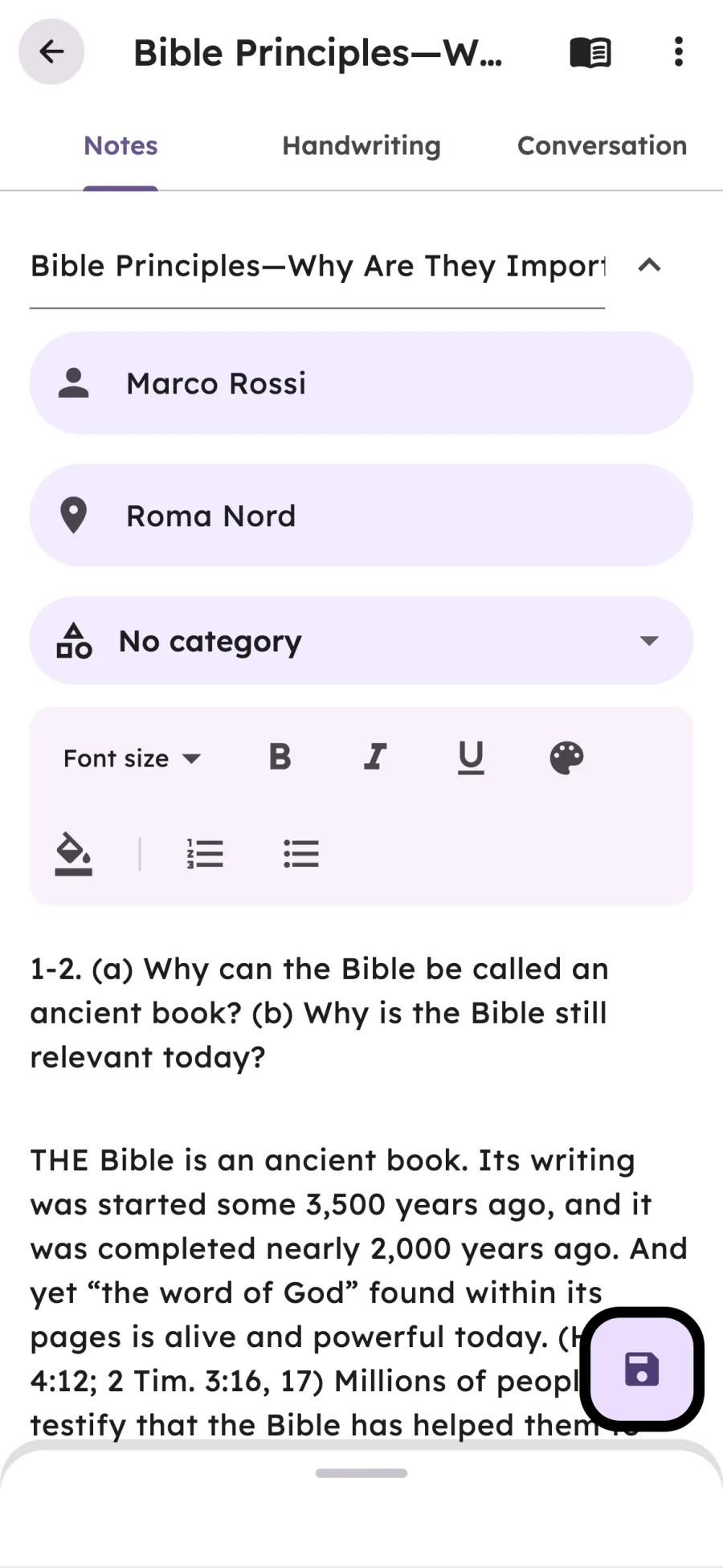
Two fields on every note, searchable from Home.
Keyboard off, scriptures tappable, nothing else on screen.
Publisher and householder as a script. Share it as PDF.

How It Works
Nothing to learn: a note, a verse, a category.
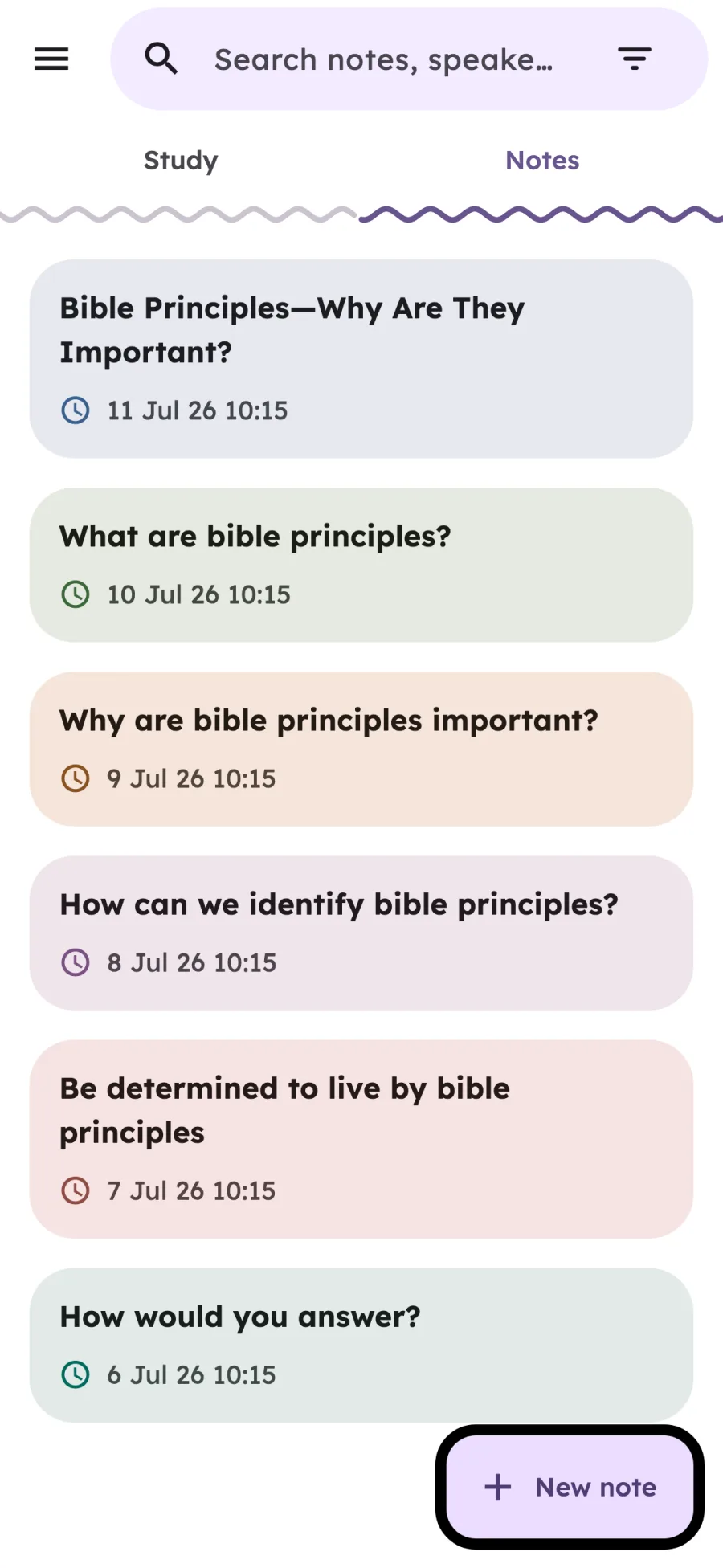
Tap +, give it a title.
Tap it to read the verse, offline with a downloaded Bible.
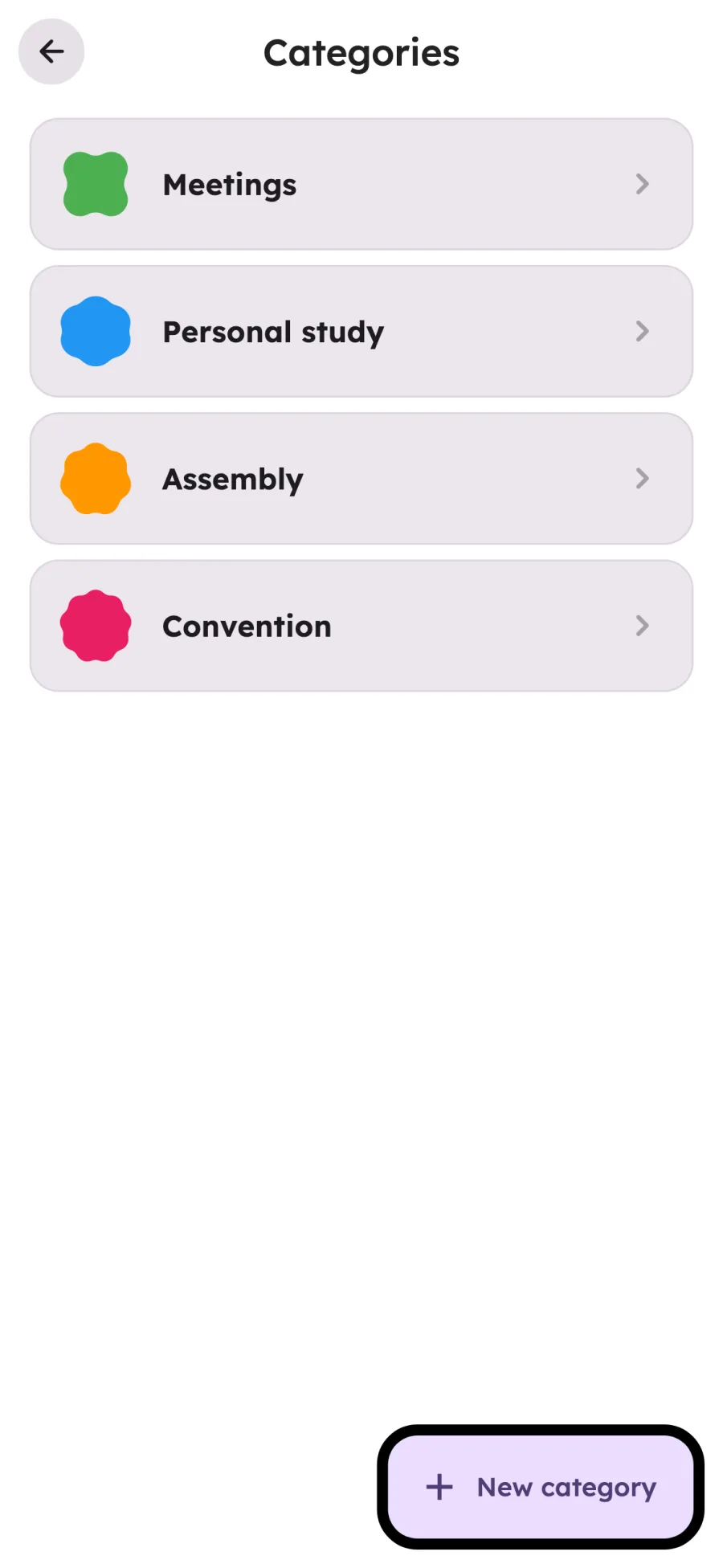
Categories and sync on every device, with Pro.
Handwriting
A page for your pen or your finger, inside every note.
Study Tab
Three pages: daily text, personal study, family worship.
Today's text, past days, a note for each.
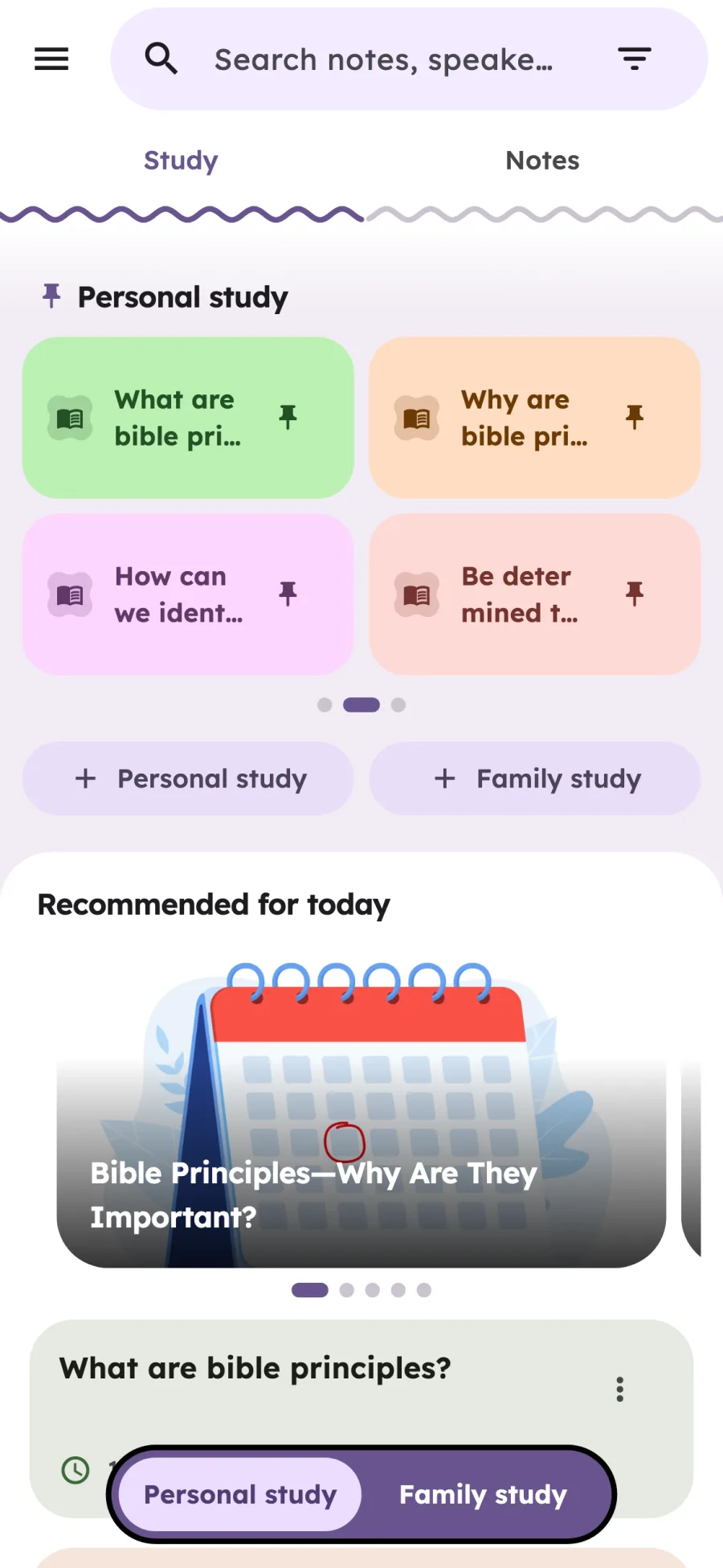
Four pinned notes and five jw.org articles a day.
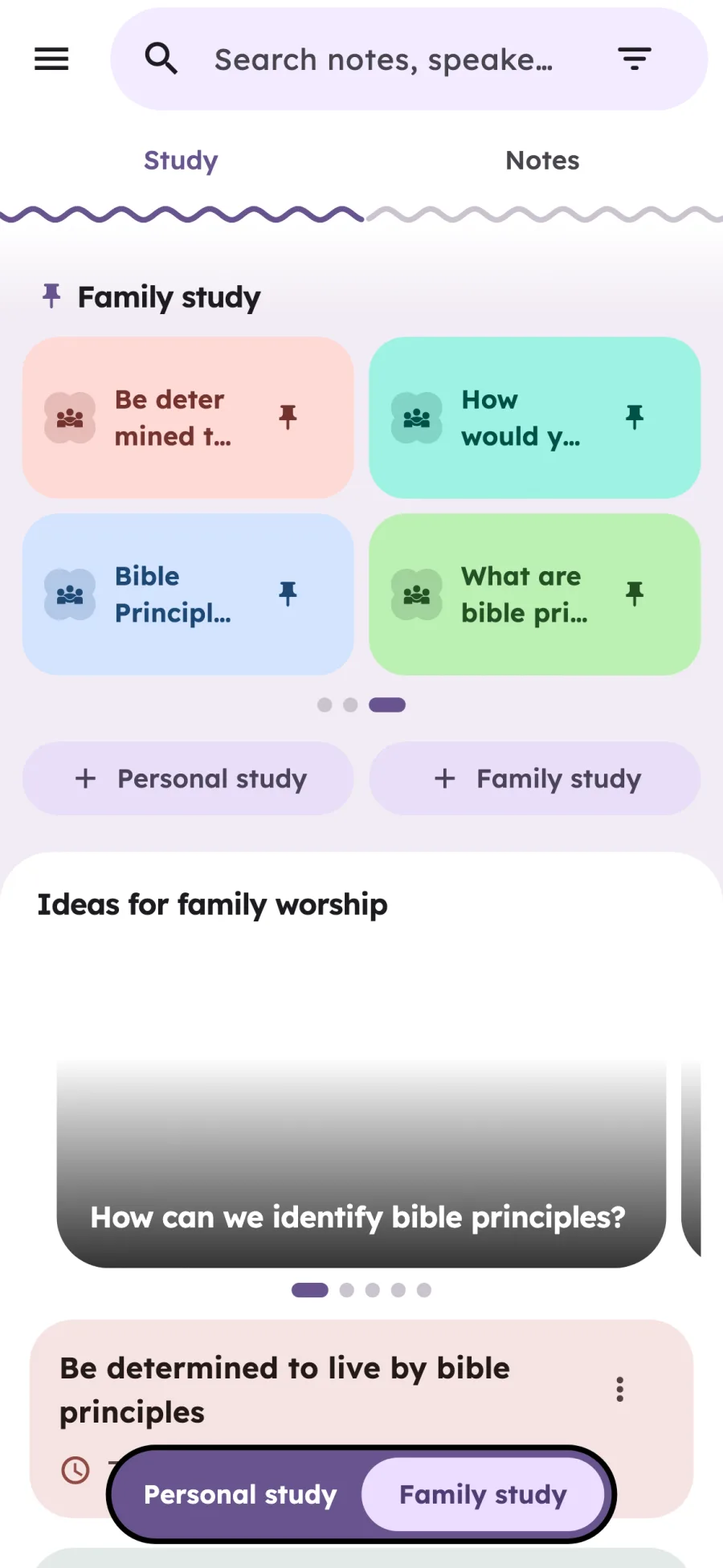
Its own pinned notes and ideas, one switch away.


Features
JWrite is a theocratic notes app designed to help you get the most out of every meeting, assembly, and convention.
Event Types
Assembly and convention programs in the app. A note for each part, offline with Pro.
Our Christian Life and Ministry
Public Talk & Watchtower Study
1-day event, twice yearly
3-day annual event

JWrite Web
Included with JWrite Pro.
JW Library, JW Notes, TheoPad: every app has its strengths. We compared them honestly, feature by feature, including where JWrite is not the best choice.
Read the full comparisonFAQ
Have questions about JWrite? Find answers to the most common questions below.
Didn't find the answer you were looking for?
Contact UsJWrite is a free note-taking app for Jehovah's Witnesses on iOS and Android, with a browser app included in JWrite Pro. It supports notes for meetings, assemblies and conventions, real-time Bible reference detection, a rich text editor and conversation mode for ministry preparation. Download a Bible translation in the app to read verses offline. The Study tab brings together the daily text and jw.org study suggestions. JWrite has 13 interface languages and is developed by BerviFix, an independent developer from Italy, with no affiliation to the Watch Tower Society.
JWrite is a digital JW notebook for taking notes at meetings, assemblies and conventions. It detects Bible references as you write. Download a Bible translation in the app to read verses offline. JWrite is free on iOS and Android; cloud sync and the browser app require Pro. JW Notes is a separate app, compared alongside JWrite and other apps on our comparison page.
JWrite detects Bible references such as "John 3:16" or "Heb 11:1" as you type. First download a Bible translation in the app using an internet connection. You can then tap a highlighted reference to read the verse from the downloaded translation offline.
Yes. JWrite is free to download and use, and the free version shows ads. The free version includes unlimited notes, real-time scripture detection, conversation mode, a rich text editor, and dark mode. For cloud sync, multi-device continuity, custom categories, offline event programs, and an ad-free experience, you can upgrade to JWrite Pro for just $22.99/year. Reference market: United States. Check the final price for your country and store in the app.
JWrite is free on iOS (iPhone & iPad) and Android, from the App Store and Google Play. With JWrite Pro you can also use JWrite Web in your computer's browser at web.jwrite.app, nothing to install.
JWrite supports 13 interface languages: English, Italian, German, French, Spanish, Portuguese (Portugal and Brazil), Polish, Dutch, Romanian, Tagalog, Ukrainian and Swedish. For offline scripture reading, choose and download an available Bible translation in the app.
The Study tab is JWrite's home screen for your spiritual routine. It shows the text of the day, your pinned notes (up to 4 per section), and study suggestions from jw.org: articles recommended for today for personal study and dedicated ideas for family worship, in your language. You can choose whether JWrite opens on the Study tab or on your notes.
Yes. JWrite displays the text of the day directly in the Study tab, with the full scripture and an archive of past days. You can write a dedicated note for each daily text, and even open a split view with your note and the daily text side by side. JWrite can also remind you to read the daily text at the time you choose.
Absolutely! JWrite includes dedicated support for regional conventions and circuit assemblies. You can access event schedules and create notes linked to each talk. With JWrite Pro, event programs are available offline, perfect for convention venues with limited connectivity.
Yes. JWrite has a reading mode made for the platform: the keyboard goes away, the note becomes read-only and scripture references stay tappable. From reading mode you can switch to full screen, with nothing else on the page. Notes can also carry the speaker and congregation, and you can search both from Home. All of this is free.
Open the Conversation tab in a note. Write the part as a dialogue between publisher and householder, mark the householder's lines and look up scriptures as you write. When it's ready, share it as a PDF in chat or script style, or as a JWrite file the person doing the part with you can import into the app. It's free.
Yes. Every note has a Handwriting tab: write with a stylus or your finger, with pen, marker, highlighter and eraser, 8 colors, and plain, lined, squared or dotted paper. On iPad, Apple Pencil double tap follows your system setting, for example to switch to the eraser. Share the page as an image or PDF. It's free; syncing across devices needs Pro. Scripture recognition and search don't work on handwriting yet.
Yes, with JWrite Pro. Cloud sync lets you start a note on your phone at the Kingdom Hall and continue editing on your tablet at home, or on your computer with JWrite Web. All your notes, settings, and categories stay in sync across all your devices.
You can take notes and read downloaded Bible verses offline. Notes and downloaded Bible data are stored on your device. The initial Bible download needs an internet connection, as do cloud sync and the browser app.
No. JWrite is an independent app and is not affiliated with, endorsed by, or sponsored by the Watch Tower Bible and Tract Society of Pennsylvania or any related entities. It is a third-party tool created to help Jehovah's Witnesses take better notes.
JWrite stores all your notes locally on your device by default. If you enable cloud sync (JWrite Pro), your notes are sent over an encrypted connection to JWrite's own servers in the European Union. Firebase (Google) is used only to sign you in and for anonymous usage statistics. We do not sell or share your personal data. For full details, see our Privacy Policy.
Check the Bible translations available in the app and download the one you want to use. The initial download needs an internet connection; afterward, you can read verses from that translation offline while taking notes.
You can reach our support team at jwrite.info@gmail.com. We typically respond within 24-48 business hours. You can also check the FAQ section in the app for quick answers to common questions.
Didn't find the answer you were looking for?
Contact UsFree on iOS and Android. In the browser with Pro.


For JWrite Pro subscribers, in your computer's browser. Nothing to install.